
Omniview Web Analytics Platform
Your entire portfolio, optimized in one view
Move beyond simple monitoring. Omniview's web platform turns complex remote data into a streamlined workflow for proactive management and rapid decision-making.
Speak With an Expert »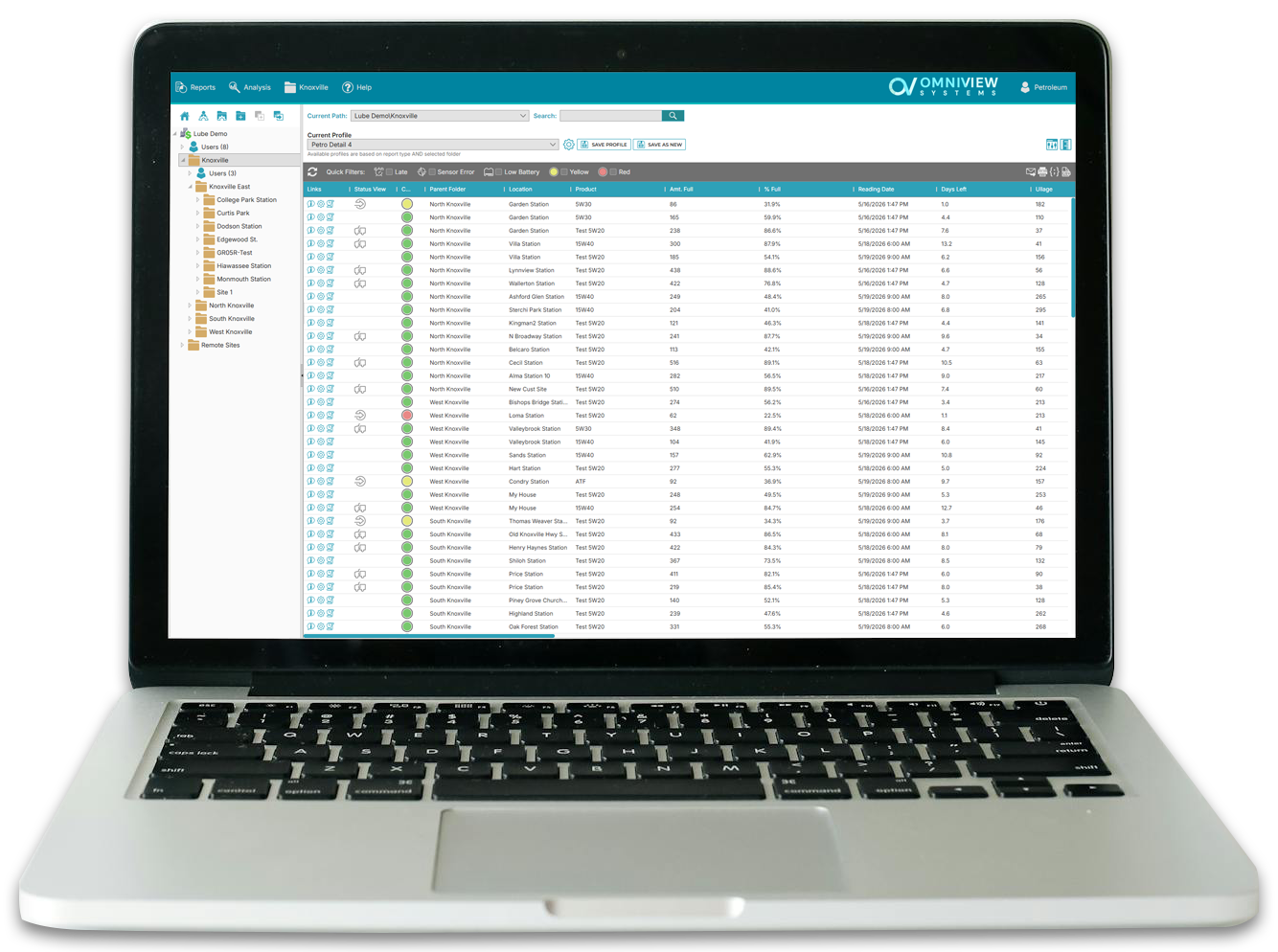
Automated Intelligence
Actionable insights, zero manual effort
Intelligent Alert Setpoints
Don't just watch data; let the data watch itself. Define custom high and low setpoints for every asset to trigger immediate email alerts the moment a threshold is crossed.
Scheduled Reporting
Automate your compliance and logistics. Schedule daily, weekly, or monthly PDF reports to be delivered daily to your inbox — or your customers' — so everyone stays informed without lifting a finger.
Custom Report Profiles
Every department needs different data. Tailor your results by creating unique report profiles that filter only the most relevant metrics for your specific operations.
The Entity Explorer
Precision navigation tailor-made for complex organizations
Intuitive Command & Control
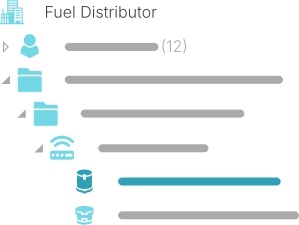
Navigate thousands of data points with ease. Quickly expand or collapse branches of your business to maintain a high-level view of your operations without losing the ability to drill down into a single sensor's performance.
Logical Asset Hierarchy
Mirror your physical footprint in our digital interface. The Entity Explorer allows you to map your assets into a nested tree view of Sites and Folders, making it easy to group devices by region, facility, or customer.
Streamlined Search
No more scrolling through flat lists. Find exactly what you're looking for by navigating the organizational structure you already know.
Speed-to-Scale
Deploy assets instantly and monitor critical moments live
Smart Templating System
Deploying new assets shouldn't be a chore. Rapidly onboard hundreds of sensors by applying proven configuration templates from existing setups. Consistent settings, zero guesswork.
Collaborative Entity Logs
Keep your team on the same page. Use the integrated comment system for every asset, device and site to log maintenance notes, delivery confirmations or site-specific details that follow the entity forever.
Real-time Monitoring Mode
When every second counts — like during a critical delivery or system maintenance — toggle into high-frequency mode for instantaneous data refreshes and live updates.
Rapid Discovery
Skip the hierarchy and jump straight to the data you need
Instant Global Search
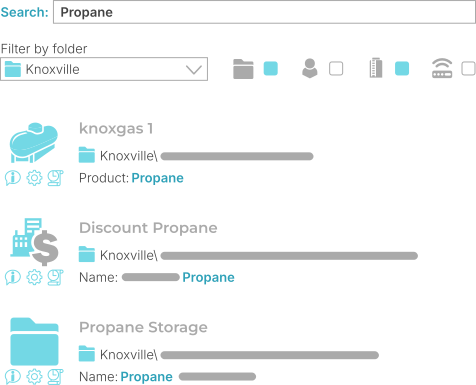
Skip the navigation entirely. User our lightning-fast search to locate assets, monitors, sites, or event specific users across your entire organization.
UID & Name Targeting
Search by friendly names or unique hardware identifiers (UIDs). This is especially powerful for field technicians who have a physical device in hand and need to pull up its digital twin instantly.
Cross-Entity Results
A single query searches everything. Whether you're looking for a specific folder to check regional status or a user to update alert permissions, the results are prioritized for relevance and speed.
Designed for Professionals
High-performance interface engineered for demanding operational environments
The Industry's Best Dark Mode
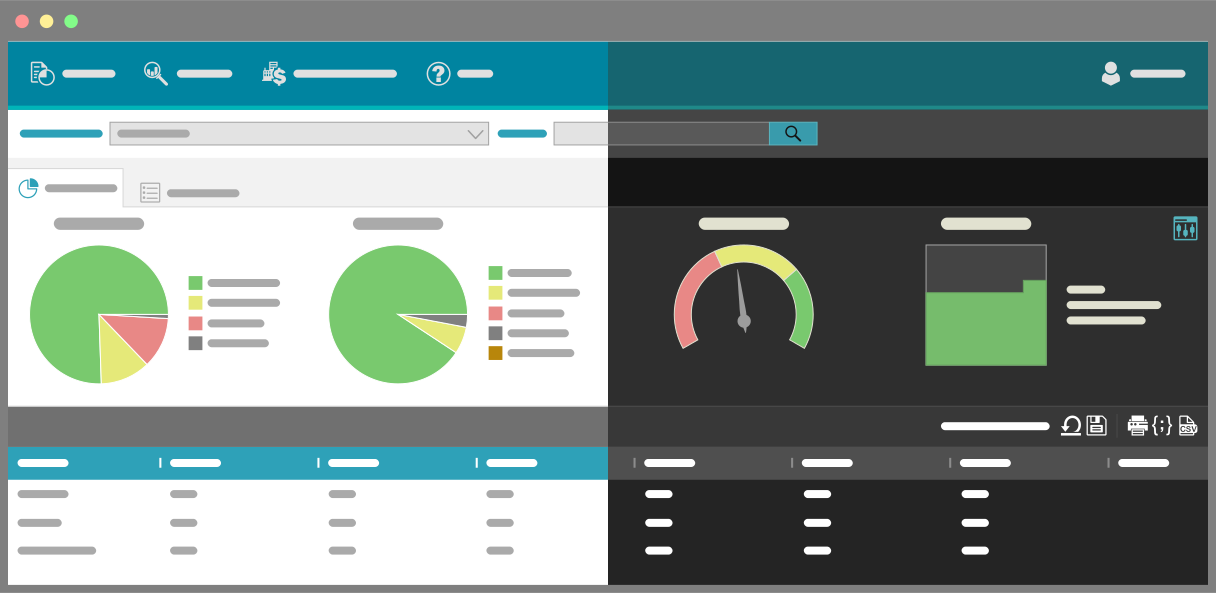
Designed for 24/7 operations centers and low-light field environments. Our fully developed dark mode reduced eye strain during long shifts and keeps your critical data at the forefront.
Universal Data Portability
Built for modern enterprise workflows. Instantly export any asset, folder, or device report into industry-standard CSV or JSON formats for external analysis or direct system integration.
Granular Role Management
Maintain strict control over your operations. Admin users can build bespoke user permissions using our robust system defaults as a foundation, ensuring data security across teams of any size.
Take the Keys to a Live Dashboard
Want to see how the Entity Explorer, MapView, and High-Frequency Mode handle real-world operations? Access our fully populated, read-only demo environment to navigate sample sites and live assets exactly as an administrator would.
Explore the Demo Account »